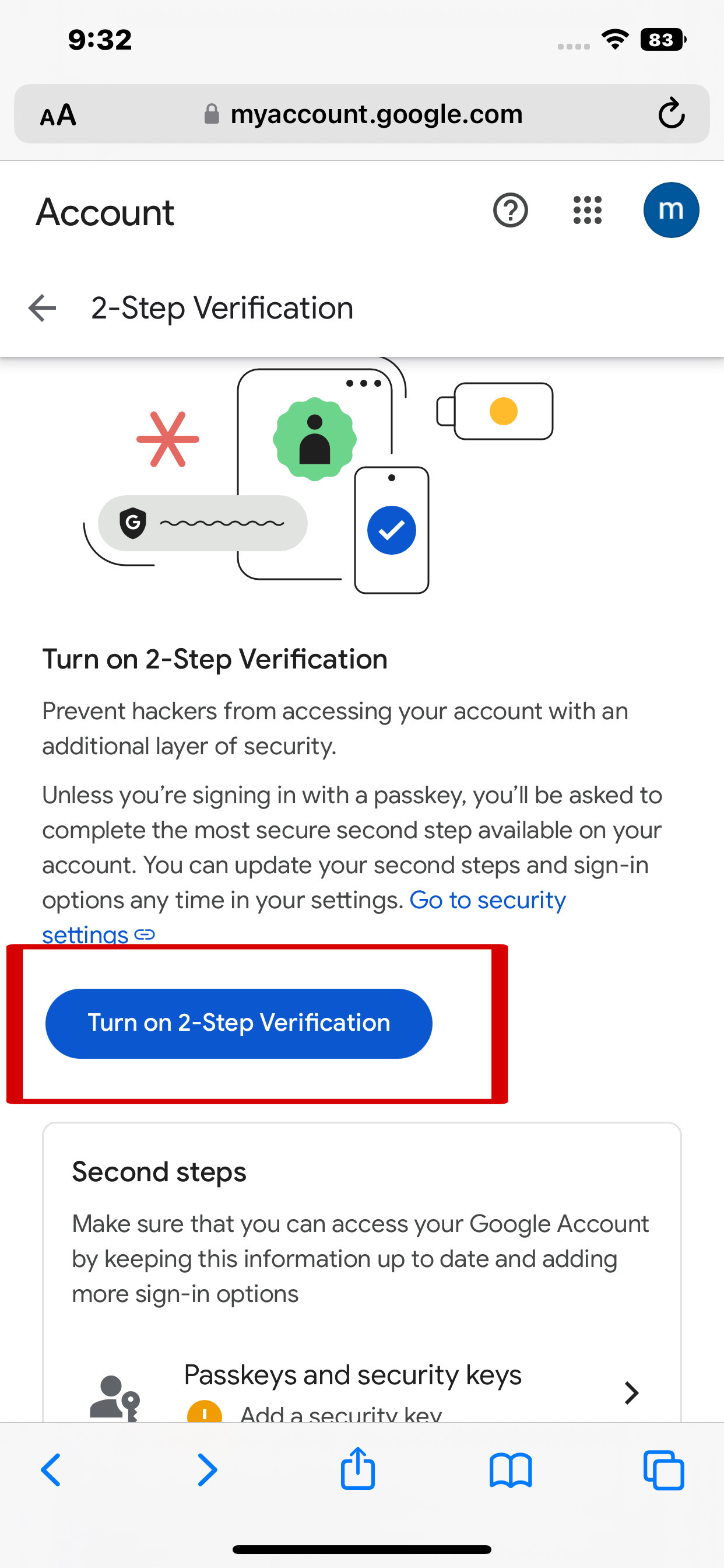
You must enable 2-Step Verification before continuing.
Click below (opens new tab). After finishing, return here.
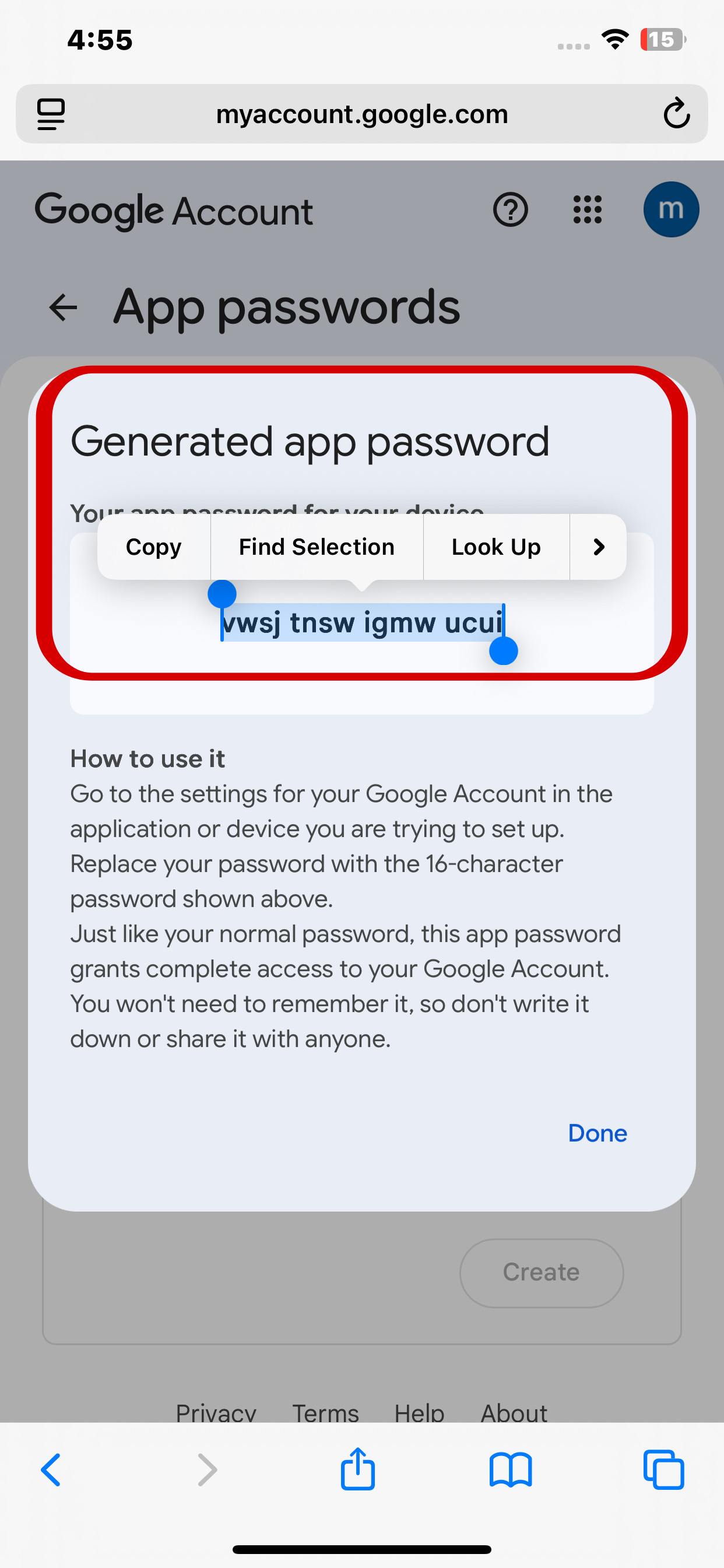
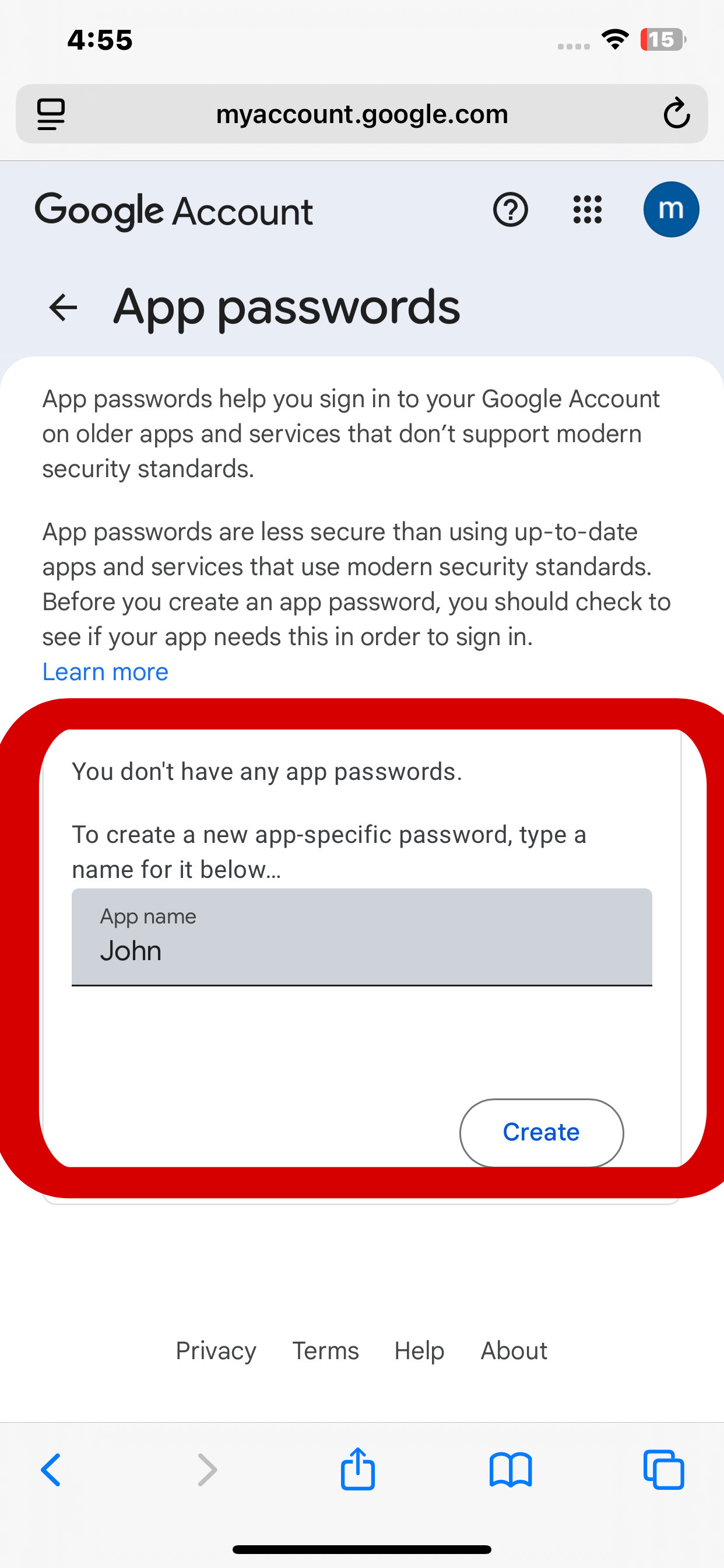
Click below to open App Password page. Use your first name as the label, then copy the generated app password and paste it on the field below.
1. How to Turn On 2-Step Verification:
2. Name to Use for App Password:
3. How to Generate & Copy the App Password: